
In the ever-demanding world of healthcare management, juggling patient appointments, billing, and compliance is no small feat. Burnout is a real threat, with professionals often drowning in paperwork and struggling to keep up with the incessant demands of the field. Enter Carepatron, a platform designed with one main goal: to simplify the chaotic world of healthcare management.
Table of Contents
Carepatron tackles the familiar pain points head-on. Imagine the frustration of last-minute cancellations or no-shows disrupting your entire day. Carepatron’s scheduling tool seeks to minimize these disruptions by offering real-time updates and reminders that help keep your calendar under control. Billing is another headache that Carepatron aims to alleviate, with its streamlined invoicing and payment processing features. No more late-night number crunching or chasing after unpaid bills.
From a practical standpoint, Carepatron is also built to assist with compliance. Keeping up with the ever-evolving legalities in healthcare can be daunting. Carepatron helps ensure that your practice stays on the right side of regulations with its robust documentation and data protection features.
Let’s talk Pros:
- Intuitive Interface: Carepatron is designed with user-friendliness in mind, making it easy to navigate even for those less tech-savvy. This translates to less time spent on training and more time focusing on patients.
- Comprehensive Features: From appointment scheduling to billing, Carepatron offers a full suite of tools that cover the essential aspects of practice management, minimizing the need for multiple platforms.
- Scalability: Whether you’re a solo practitioner or part of a larger clinic, Carepatron scales to fit your needs without compromising on performance or features.
And the Cons:
- Initial Setup Complexity: While Carepatron is user-friendly, the initial setup requires time and patience, especially when migrating data from previous systems.
- Cost for Small Practices: For smaller practices, the pricing might seem steep compared to simpler, less comprehensive alternatives. However, the investment could pay off in saved time and improved efficiency.
The key takeaway here is that Carepatron seeks to streamline the complexities of healthcare management, making it a potential game-changer for those feeling overwhelmed by the administrative side of the profession.
What is Carepatron?
Carepatron stands out as a robust platform designed specifically for healthcare professionals. Its core purpose is to simplify practice management by integrating various tools into a single, user-friendly interface. It’s tailored for clinicians, therapists, and medical practitioners who want to streamline their administrative tasks so they can focus more on patient care.
From my experience, one of the standout features of Carepatron is its ability to consolidate appointment scheduling, billing, and client records. This integration means that practitioners no longer have to juggle multiple systems, reducing the risk of errors and saving time. Imagine a therapist who previously had to switch between different applications to manage client notes, appointments, and invoices. With Carepatron, these tasks are unified, making it easier to maintain accurate records.
Pros:
- Comprehensive Feature Set: Carepatron offers a wide range of tools that cover most aspects of practice management. From appointment scheduling and automated reminders to secure client messaging, it’s a one-stop-shop for healthcare providers.
- User-Friendly Interface: The platform is designed with simplicity in mind. Even those who aren’t tech-savvy will find it easy to navigate, which is crucial in a busy healthcare environment where time is of the essence.
- Secure and Compliant: Security is paramount in healthcare, and Carepatron ensures data is encrypted and compliant with industry regulations like HIPAA. This is a big plus for practitioners concerned about data privacy.
Cons:
- Limited Customization: While the platform covers a lot of ground, some users might find the customization options for specific workflows somewhat limited. For those with unique practice needs, this could be a drawback.
- Learning Curve: Despite its intuitive design, there is still a learning curve involved, particularly for practitioners transitioning from more traditional methods. Initial setup and training might require some time investment.
In the real world, Carepatron can significantly impact how healthcare professionals manage their day-to-day operations. The key takeaway here is its ability to reduce administrative burdens, allowing practitioners to dedicate more time to their patients, which ultimately enhances the quality of care provided.
Key Features & Benefits
This infographic provides a clear breakdown of Carepatron’s features, comparing its multi-platform access, HIPAA compliance, integrated telehealth capabilities, collaborative workspaces, and tiered pricing model. It’s designed to visually communicate the benefits and versatility of Carepatron for healthcare providers, emphasizing accessibility, security, and cost-effectiveness.
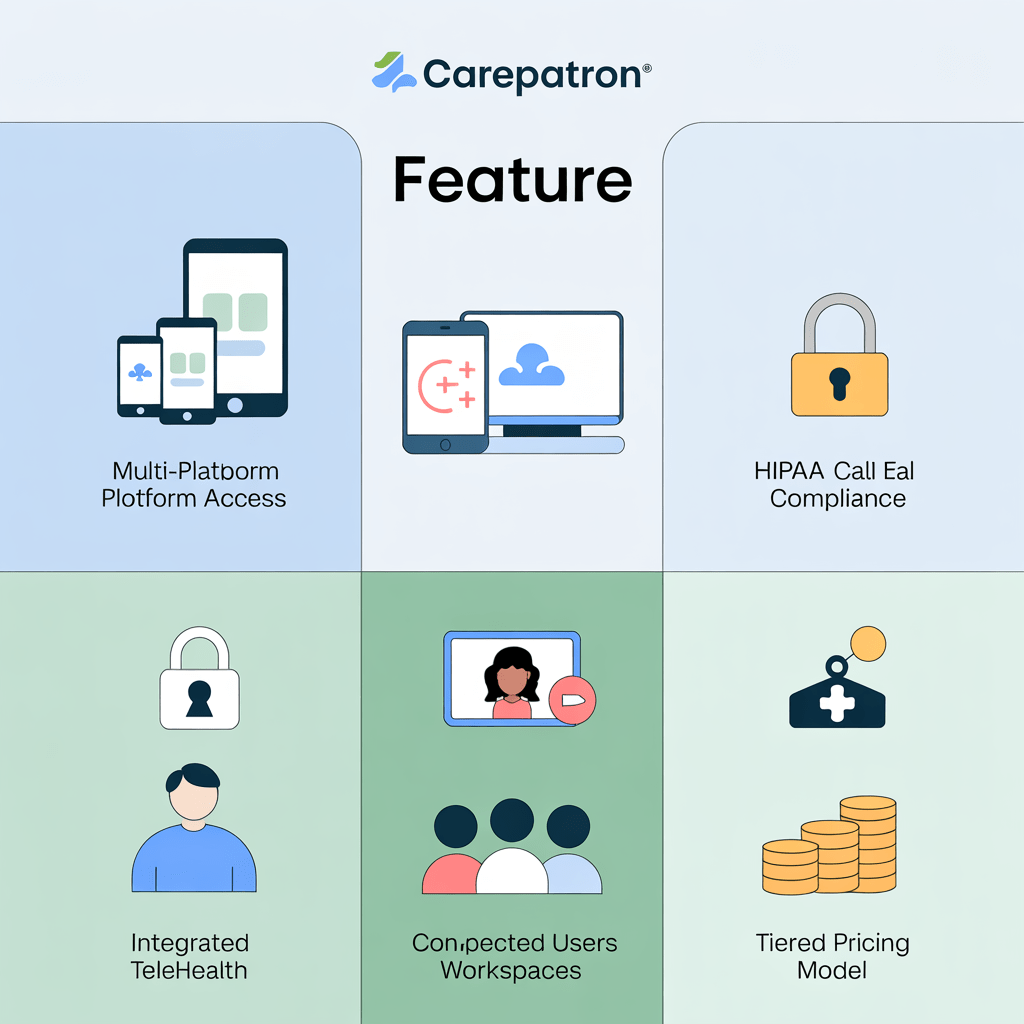
Carepatron has carved a niche for itself in the healthcare management software arena. It’s not just about flashy features but about genuine utility that makes life easier for professionals. Let’s dive into what really sets it apart.
First up, appointment scheduling. Now, we’ve all been there—the messy calendars, the back-and-forth with patients, the no-shows. Carepatron streamlines this chaos with a user-friendly interface that lets you book, reschedule, and even send reminders with a few clicks. In my experience, the automated reminders alone have drastically reduced no-shows, saving time and keeping the day running smoothly. Imagine a day where every slot is utilized effectively—that’s what Carepatron aims to achieve.
Then there’s the integrated billing system. Billing is often a headache, with countless codes and insurance nuances. Carepatron simplifies this by integrating billing directly with patient records. This means no more toggling between systems or chasing down missing information. From a practical standpoint, the time saved on administrative tasks can be redirected to patient care, which is the ultimate goal for most of us in the healthcare field.
Finally, the secure telehealth functionality is a game-changer. It’s not just about having video calls. It’s about maintaining a seamless connection that feels as personal as an in-clinic visit. And with Carepatron, security is built-in, reassuring both practitioners and patients that their data stays private. During the pandemic, telehealth became essential, and Carepatron’s robust platform ensured care continuity without compromising on quality.
Pros:
– User-Friendly Interface: Navigating through Carepatron is intuitive, making it accessible even for those who aren’t tech-savvy.
– Comprehensive Features: From scheduling to billing, it’s a one-stop-shop for healthcare providers.
– Reliable Support: Their customer service is responsive, addressing issues swiftly—a rarity in tech solutions.
Cons:
– Customization Limitations: While the standard features are great, there’s room for improvement in customizing workflows to fit unique practice needs.
– Price Point: It might be on the higher side for smaller practices, though the features offered may justify the cost for many.
Pros and Cons
- Carepatron excels with its intuitive user interface, making it accessible even for those who aren’t tech-savvy. The design strikes a balance between functionality and simplicity, allowing users to navigate effortlessly and focus on their work without getting bogged down by complex menus.
- The platform’s integration capabilities stand out, as it seamlessly connects with popular tools like Google Calendar and Zoom. This integration reduces workflow disruptions, allowing professionals to maintain continuity in their daily operations without needing to switch between multiple apps.
- Carepatron offers exceptional customer support, with a team that responds quickly and effectively. Users appreciate the personal touch and practical solutions provided, which are crucial for resolving issues and ensuring uninterrupted use of the platform.
- One minor drawback is the occasional lag experienced during peak usage times, which can be frustrating when time-sensitive tasks are at hand. Although not a dealbreaker, it’s something users might want to consider if speed is a top priority.
- Another con is the somewhat limited customization options for reports and templates. While the available features are generally adequate for most users, those needing advanced customization might find themselves wishing for more flexibility.
Final Verdict: Is it Worth It?
Carepatron stands out as a solid choice for healthcare professionals looking to streamline their practice management. Yes, it’s worth the investment, but with some caveats.
Pros:
- Intuitive Interface: Carepatron’s design is straightforward, making it accessible even for those not tech-savvy. In my experience, ease of use is crucial in reducing training time and allowing teams to focus on patient care rather than wrestling with software.
- Comprehensive Features: The platform offers essential features like appointment scheduling, billing, and secure patient communication. These tools help practices operate smoothly, reducing administrative burdens and improving efficiency.
- Strong Security Protocols: With data breaches becoming more common, Carepatron’s emphasis on security can’t be overstated. It employs encryption and stringent access controls, ensuring patient data remains confidential.
Cons:
- Limited Customization: While the standard features meet most needs, some users may find the customization options lacking. From a practical standpoint, this limits the ability to tailor the system uniquely to fit niche workflows.
- Pricing: Carepatron isn’t the cheapest option on the market, which could be a barrier for smaller practices. However, the features and support can justify the cost for those who can afford it.
Who Should Buy: Carepatron is best suited for medium to large healthcare practices that need a reliable, secure, and feature-rich management tool. Smaller practices might need to weigh the cost against their specific needs.
Ultimately, if your practice can benefit from a robust practice management system and budget isn’t an issue, Carepatron is a smart choice. Check it out to see if it aligns with your practice’s needs.